| ||
| Your browser is not supported. | ||
|
Please browse our site using any of the following options:
| ||



MONOGRAM JEWELLERY CASE
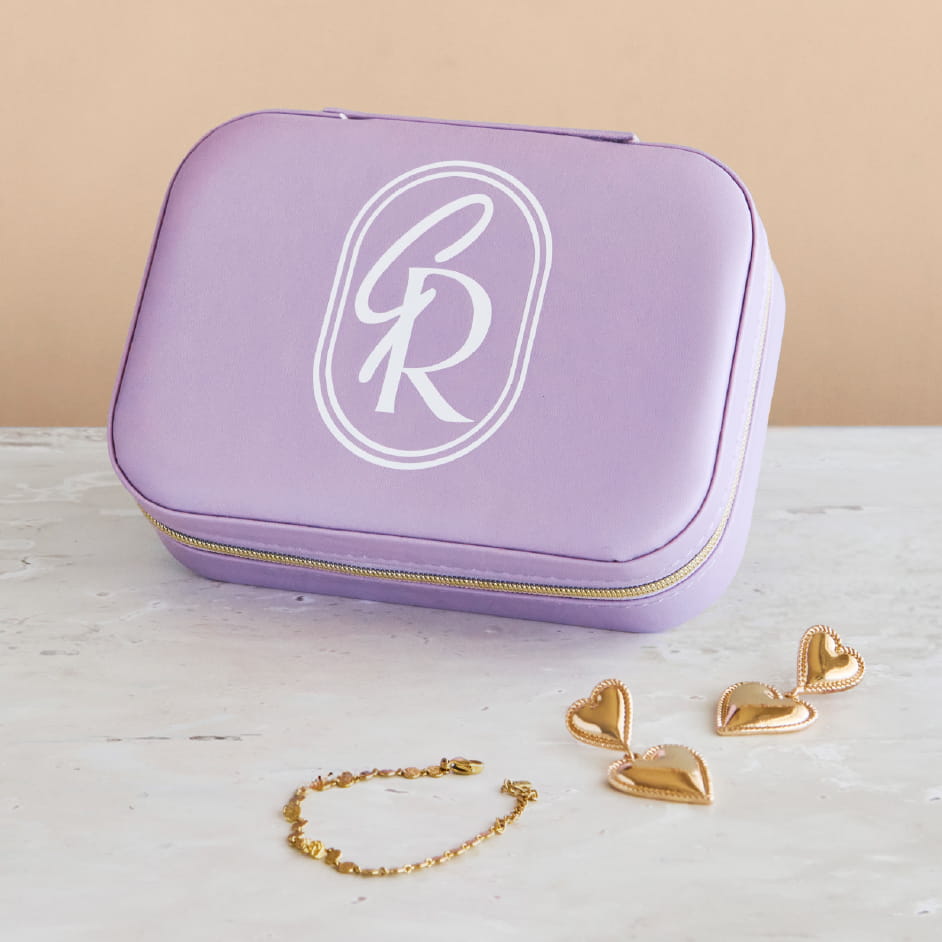
Level: Beginner
What you'll need:
- Cricut Smart Cutting Machine
- Cricut Easy Press Mini
- Cricut Heat Mat
- Cricut Smart Iron-on
Instructions
Reference the downloadable project sheet for pattern diagrams.
Images, Fonts, and Cricut Accessâ„¢ Features Used in this Project:
First Letter Font: Freestyle Script
Second Letter Font: Aphasia BT
Oval Image: #M2AAB3D97
Preparation
- Design: Open design space link https://design.cricut.com/landing/project-detail/697a9532953ea3507f0f2f03. Click 'customise' to open design on 'canvas' tab, so you can resize according to your blank. Edit the design to include your initials by adding a text, type in your initials and change the size to fit your blank. Add any other elements or text as you wish. When you are happy with your design, select all elements of your design and click 'Combine' and then 'Weld'. Then click 'make' on top tool bar and follow prompts to connect your Cricut smart cutting machine.
Cut
- Cut: Click 'Material Load Type' dropdown and then choose 'Without Mat' for matless smart iron-on or 'With Mat' for everyday iron-on and toggle 'mirror'. Then click 'continue' button and choose your material from the selection and follow prompt to load material into your Cricut smart cutting machine (shiny side down). Insert into cutting machine and watch as your Cricut machine cuts out the design. When it's finished, unload material and set aside.
Assemble
- Weed: Remove the negative from the iron-on design from the backing with a weeding tool. Simply hook the weeding tool into the iron-on in an area outside the design, then carefully peel it off to reveal your iron on design ready to press onto your jewellery case.
- Press: On the Design Space 'Home' tab on the left side tool bar look for 3 squiggly lines. Click on this, it will take you to the Cricut heat guide. Select your Cricut EasyPress model, heat transfer material, and base material. This will provide you with precise instructions for best heat press results. Follow these instructions, place your cushion cover on Cricut heat mat, align the iron-on design (backing up), when you are happy with the placement, press to apply design!
- Follow directions for warm or cool peel in heat guide and carefully peel back iron-on backing to reveal your design.